Your first project in 10 minutes
This walkthrough creates a home with a self-consumption installation with export, using automatic sizing.
1. Name and client (30 s)
In the sidebar, type the project name and the client. They will appear in the report.
2. Project setup (30 s)
In 1 · Project setup choose Self-consumption with export and client type Residential. Leave the design mode on Automatic.
3. Location (1 min)
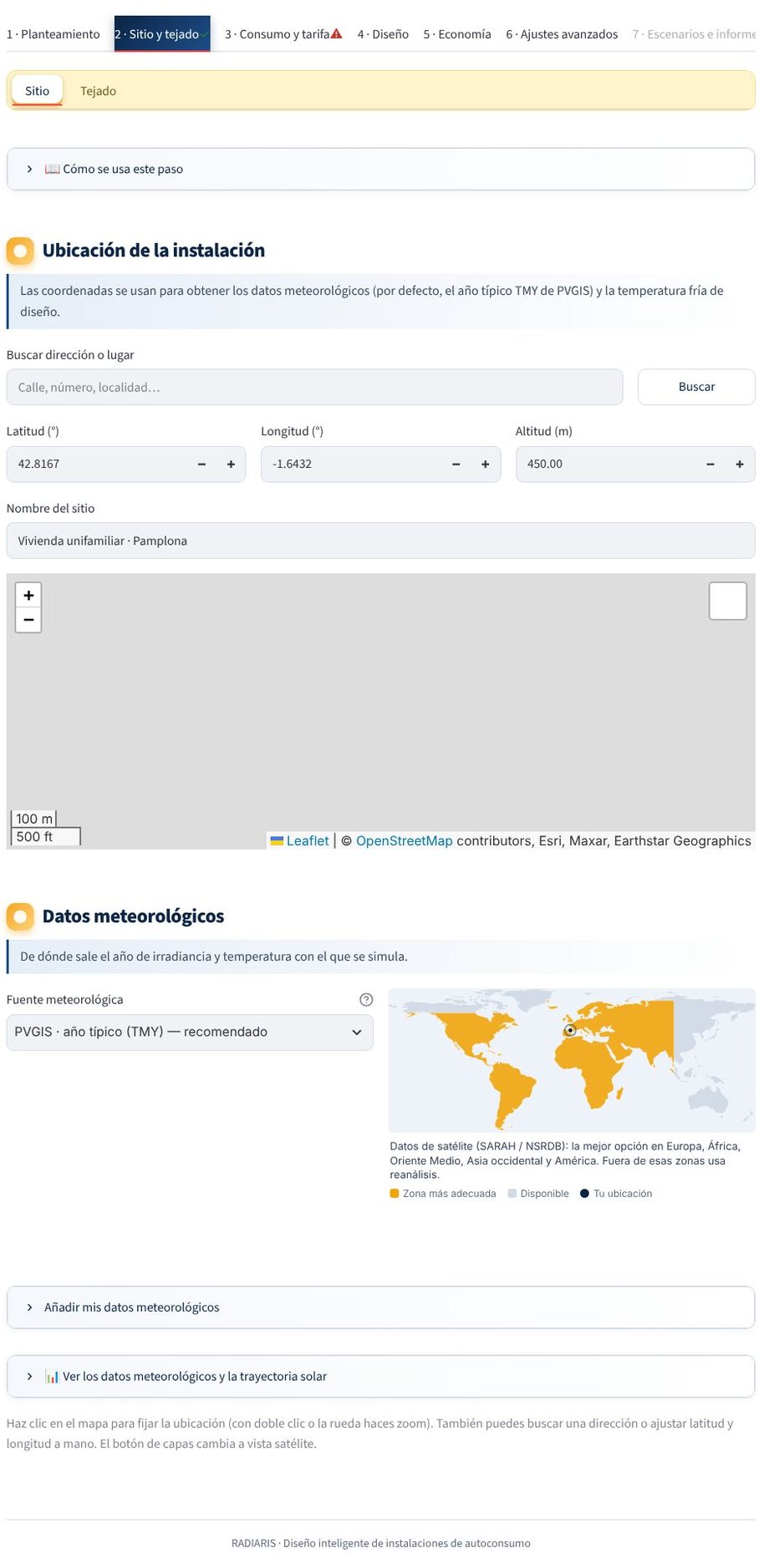
In 2 · Site and roof → Site search for the address, click on the map or type the latitude, longitude and altitude. The engine proposes a weather source; for Spain, PVGIS (typical year) is the default option.
4. Roof (2-3 min)
In the Roof tab, draw the outline of each plane on the satellite image. Tilt and azimuth are filled in on the «Roof planes» cards and you can correct them. If you would rather not draw, add a structure from the library (flat, gable, hip…) by typing its dimensions. In Spain you can bring in the building outline from the Cadastre.
5. Consumption and tariff (2 min)
In 3 · Consumption and tariff type the annual consumption from the bill and choose a profile (for example, primary residence). If you have the real curve (Datadis), upload it. In Tariff leave the fixed tariff and type your purchase and export prices.
6. Equipment (1 min)
In 4 · Design → Equipment choose a module and an inverter from the catalogue. In automatic mode you do not have to touch the topology.
7. Simulate (1 min)
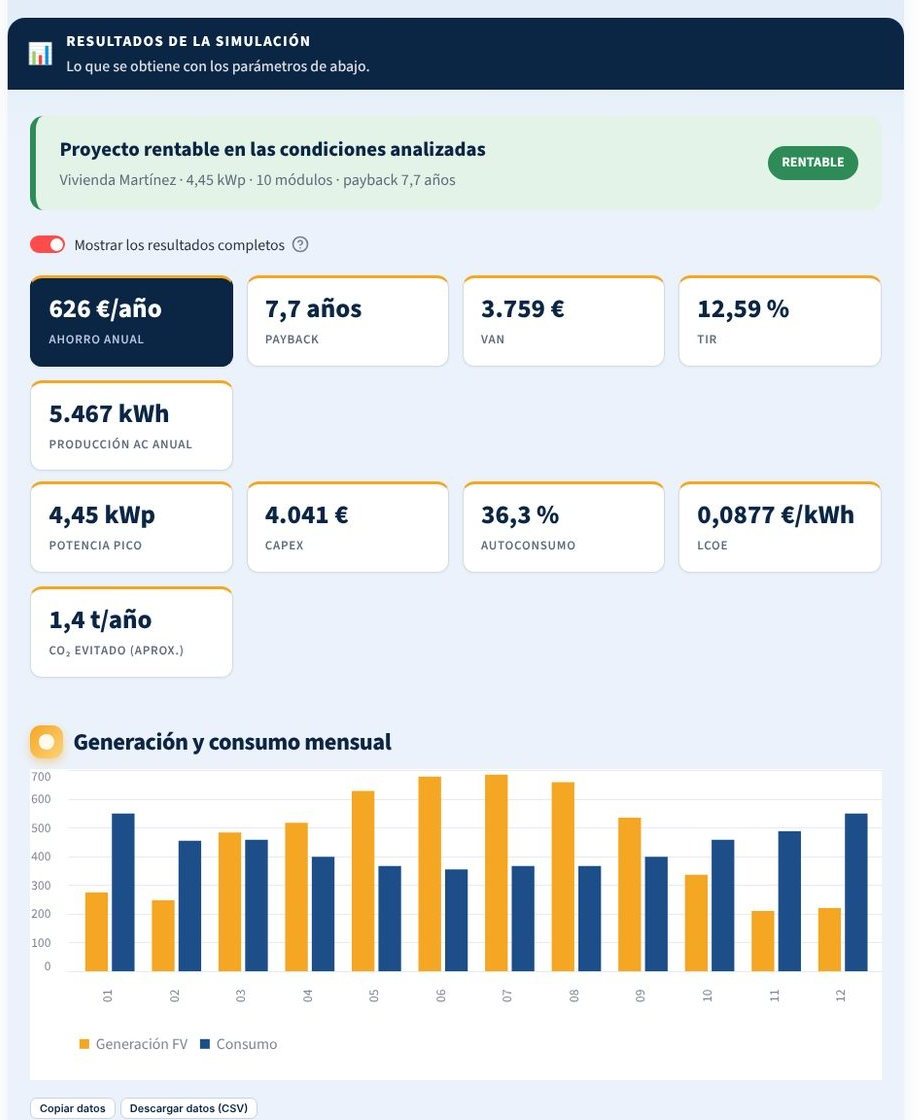
Press Simulate system. In a few seconds the results appear at the top: verdict, annual savings, payback, NPV, IRR, production and self-consumption.
8. Report (1 min)
In 7 · Scenarios and report download the full PDF report or the commercial version, and generate the offer if you need it.
Tip
Save the project with Save in the sidebar: the results are saved too, and when you reopen it you see them instantly, without recalculating.