Module placement
It is configured in 4 · Design → Placement.
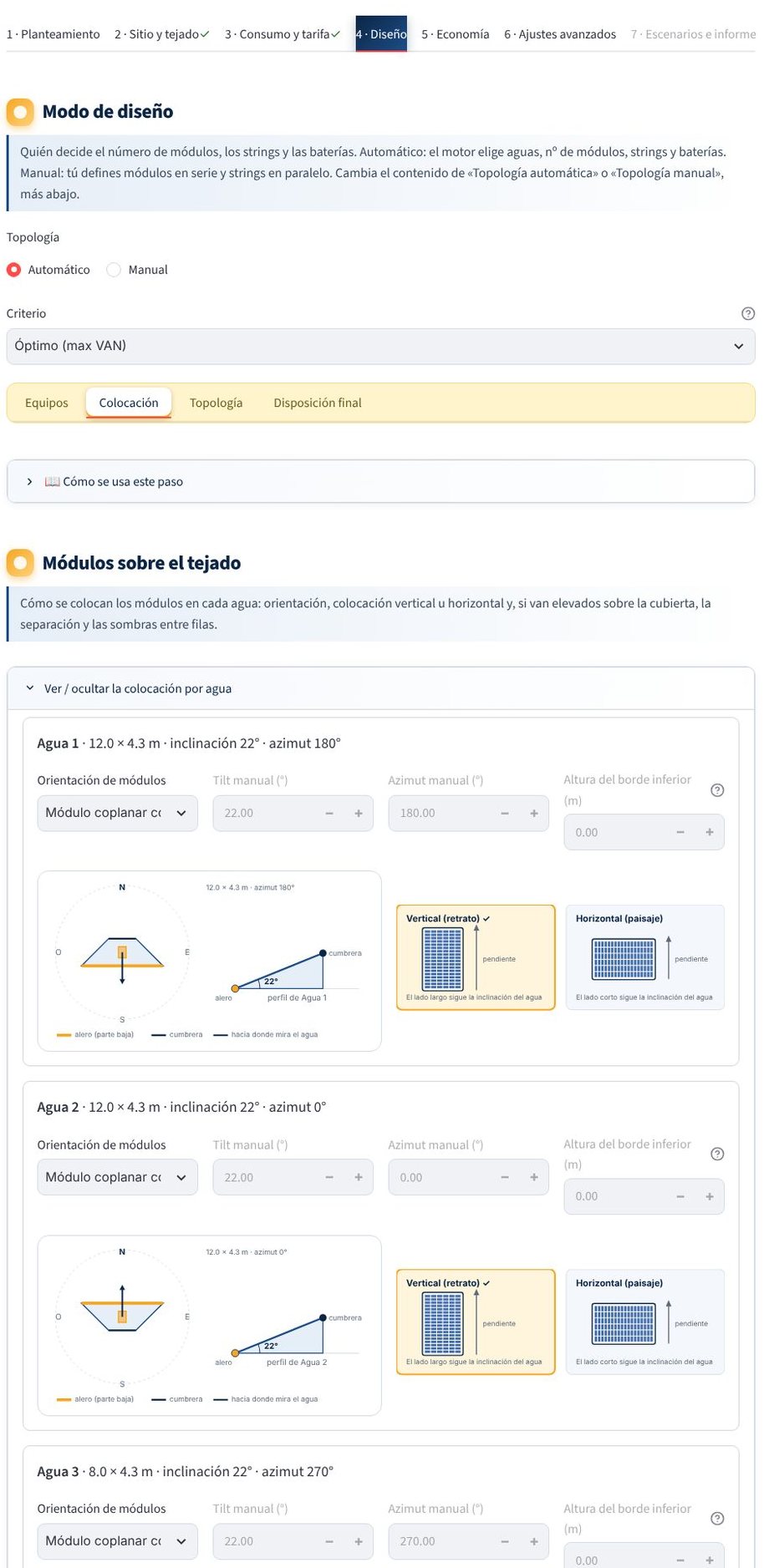
Module orientation
For each plane you choose:
| Option | What it does |
|---|---|
| The roof's (inherit) | Modules flush with the roof plane |
| Manual | Tilt and azimuth that you specify (raised modules) |
| Optimal, tilt only | The engine calculates the optimal tilt and keeps the azimuth |
| Optimal, tilt and azimuth | The engine calculates both |
See Optimal orientation.
Raised modules on a flat roof
When the modules are not flush with the roof, the row settings appear:
- Row spacing (pitch):
- Automatic (time window): the minimum so that rows do not shade each other during the chosen solar hours (10:00 to 14:00 by default) on the shortest day of the year.
- Automatic (maximum loss): the minimum with which the back rows lose no more than a given percentage per year (3 % by default); it accepts some shade early and late in the day so that more modules fit.
- Manual: horizontal distance between the lower edge of one row and that of the next.
- Minimum aisle between the footprints of two rows (0.3 m by default).
- Height of the lower edge above the roof.
- Deduct inter-row shading: if you disable it, the rows are placed in the same way but their shading is not subtracted.
- String wiring between rows (see Objects and shading).
In all three cases, the simulation calculates the real shading hour by hour.
Placement on the plane
| Parameter | Default | What for |
|---|---|---|
| Edge margin | 0,3 m | Maintenance aisles and roof regulations |
| Gap between modules | 0,02 m | Spacing between adjacent modules |
| Remove heavily shaded modules | Enabled | Discards positions with a loss above the threshold |
| Loss threshold | 10 % | Annual direct loss above which a position is discarded |
The real outline of the plane and the obstacles resting on the roof (chimneys, rooftop structures, machines) rule out the positions that stick out or overlap them. If there is shading, the annual loss of each position with clear skies is estimated and the modules are placed first where they produce the most.
Shading model
This is also where you choose the model (realistic, optimistic or pessimistic), the cell type and the bypass diodes; see Objects and shading model.
Is something missing or wrong? Write to us at hola@radiaris.com. Last reviewed: 26 October 2026.